Welcome to Prdee.com, your trusted source for mastering the art of cable management! With over a decade of hands-on experience, I understand the frustration of tangled wires and the impact a chaotic workspace can have on your productivity and peace of mind. A well-organized setup isn’t just about aesthetics; it’s about efficiency, safety, and extending the life of your valuable electronics. Let’s dive into the world of Cable Cord Organizers and transform your space from a tangled mess into a streamlined sanctuary.
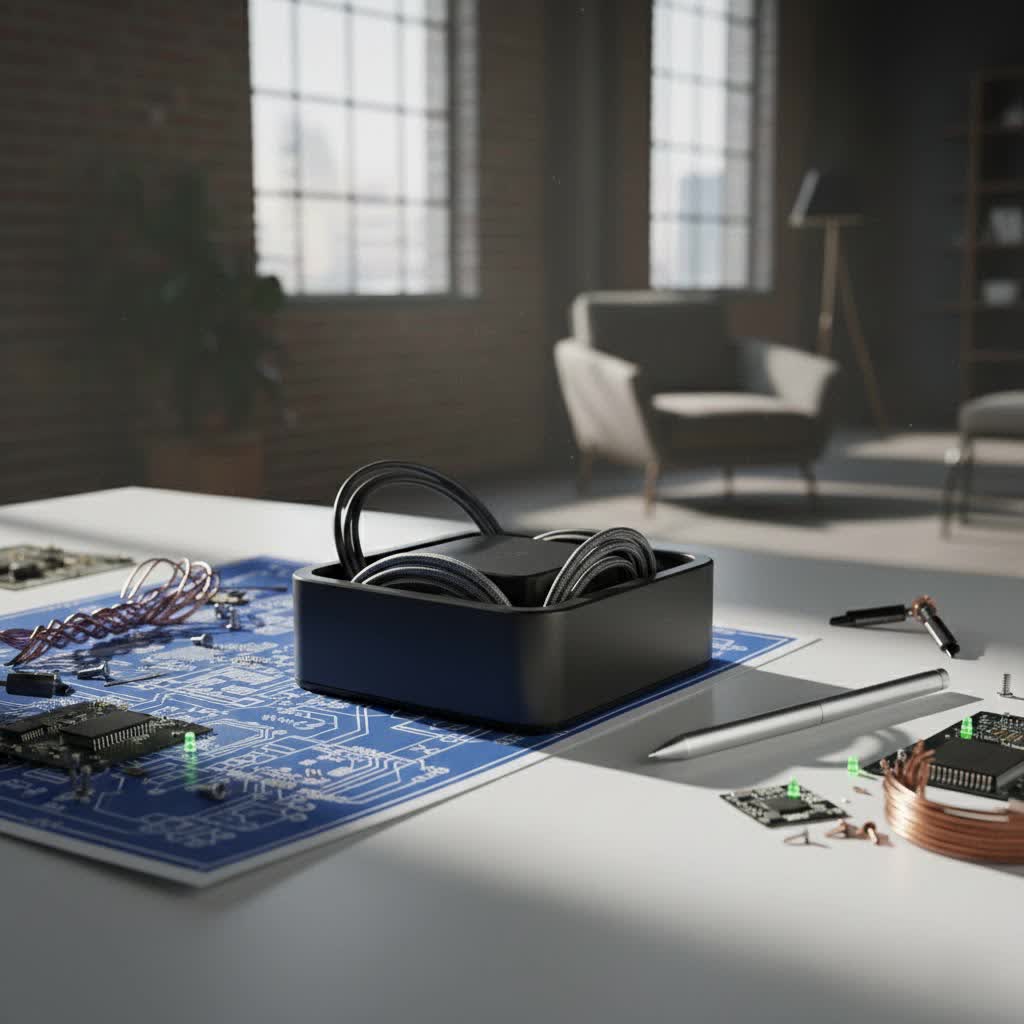
Why You Need a Cable Cord Organizer
Imagine a workspace where every cable has its place, where power strips are neatly tucked away, and your devices charge without a spaghetti-like display of cords. This isn’t just a dream; it’s a reality achievable with the right cable cord organizer solutions. Beyond the immediate visual appeal, organized cables offer significant benefits:
- Enhanced Safety: Loose cables are a major tripping hazard in both homes and offices. They can also get snagged, pulling down expensive equipment or creating a fire risk if damaged. Proper organization keeps cables out of walkways and away from potential harm.
- Improved Aesthetics: A clean, uncluttered environment instantly looks more professional and inviting. Hiding unsightly cables elevates the overall look of your desk, entertainment center, or industrial setup, contributing to a more calming atmosphere.
- Boosted Productivity: When your workspace is organized, your mind feels clearer. No more wasting time untangling cords or searching for the right charger. Everything is accessible, allowing you to focus on your tasks without distraction.
- Extended Equipment Lifespan: Tangled and kinked cables are prone to damage, fraying, and overheating. Cable organizers protect your cords from wear and tear, ensuring they last longer and perform reliably.
- Easier Troubleshooting & Maintenance: When cables are neatly routed and, ideally, labeled, identifying and replacing a faulty cord becomes a breeze. This saves you significant time and effort during upgrades or troubleshooting.
Types of Cable Cord Organizers: Finding Your Perfect Match
The world of cable management offers a vast array of solutions, each designed for specific needs and environments. Understanding the different types is the first step to choosing the best cable cord organizer for your setup.
Cable Clips: Keeping Cords in Place
Cable clips are small, often adhesive or magnetic devices designed to secure individual cables or small bundles to a surface. They are incredibly versatile and perfect for routing cables along desk edges, walls, or under surfaces.
- Adhesive Cable Clips: These stick directly to surfaces, providing a discreet way to guide cables exactly where you need them. They’re excellent for keeping charging cables from falling off your nightstand or routing monitor cables neatly behind a desk.
- Magnetic Cable Clips: Featuring a magnetic base, these clips attach to metal surfaces or come with a small adhesive metal plate. They offer the flexibility to easily attach, detach, and reposition cables, making them ideal for dynamic setups.
- Rubber Cable Clips: Some clips are made of soft rubber or silicone, often with multiple slots, allowing you to thread several cables through. These are great for desktop use, ensuring your essential cords are always within reach.
|
Our Picks for the Best Cable Organizer in 2026
As an Amazon Associate I earn from qualifying purchases.
|
||
| Num | Product | Action |
|---|---|---|
| 1 | Nearockle 24Pcs Silicone Cable Straps Cord Organizer for Bundling Earphone, Phone Charger, Computer Cords, Reusable Cable Ties Wire Organizer in Home,Office,Kitchen,School (4 Colors) |

|
| 2 | FYY Travel Cable Organizer Pouch Electronic Accessories Carry Case Portable Waterproof Double Layers All-in-One Storage Bag for Cord, Charger, Phone, Earphone Black |
|
| 3 | Nettbe 60 PCS 6 Inches Reusable Cable Ties, Adjustable Cord Straps Wire Organizer Cord Wrap and Hook Loop Cable Management |
|
| 4 | 6-Pack Rotatable Cord Holder for Nightstand, LISEN 360°Rotating Magnetic Clips, No-Residue Strong Adhesive Cord Organizer for Desk, Phone Cord Holder for Home, Car, Office Desk Accessories |
|
| 5 | Oligei 25 Pcs Silicone Cable Ties, Cable Ties Reusable, High Elasticity Cord Wraps for Electrical Cords, Cord Organizer for Earphone, Phone Charger(Colorful) |
|
| 6 | VELCRO Brand ONE-WRAP Cable Ties, 100Pk, 8 x 1/2\" Black Cord Organization Straps, Thin Pre-Cut Design, Wire Management for Organizing Home, Office and Data Centers |
|
| 7 | Heavy Duty Extension Cord Organizer 6 Pack Black 17\" Adjustable Storage Straps with Triangle Hooks for Garage Workshop & Tool Storage Ideal for Men\'s Gadgets and Cable Management |
|
| 8 | Under Desk Cable Management Tray No-Drill 2 Pack 16.9‘’ Wire Cord Organizers, Cable Management Under Desk for Home and Office No Damage Black |
|
| 9 | 8Pack Cord Organizer [1s Lock] Spring Cable Management Clips - Lamicall Desk Adhesive Cord Holder Clips, Nightstand Phone Charger Wire Organizer Keeper, Home Office Organization Gadgets Accessories |
|
| 10 | Anker Multipurpose Cord Keeper - 5 Clips for Lightning, USB C, Micro Cables & Other Wires - Sticks to Wood, Marble, Metal, Glass (Black) |
|
Cable Ties & Wraps: Bundling for Simplicity
Cable ties and wraps are the go-to solutions for consolidating multiple cables into a single, neat bundle. They prevent tangling and make large groups of wires more manageable.
- Velcro® ONE-WRAP® Cable Ties: These reusable hook-and-loop straps are a favorite because they are adjustable, durable, and can be easily opened and closed. They’re perfect for setups that require frequent changes or additions of cables, offering excellent flexibility.
- Silicone Cable Straps: Often featuring a buckle or magnetic closure, silicone straps are flexible and durable. They are excellent for securing coiled cables, from thin headphone wires to thicker extension cords, without causing damage.
- Zip Ties: While offering a very secure and permanent bundling solution, traditional plastic zip ties are generally single-use. They are best for static installations where cables won’t need to be frequently adjusted.
- Leather Cord Wraps: For a touch of elegance and portability, leather wraps are ideal for smaller cables like phone chargers or earbuds. They often feature snaps or buckles, adding a refined look to your travel tech.
Cable Management Boxes: Hiding the Hubs
Cable management boxes are enclosures designed to conceal power strips, surge protectors, and the unsightly excess length of cables. They offer a clean, sophisticated way to hide away the nerve center of your electronic setup.
- Desktop Boxes: These sit on your desk or floor, providing a discreet home for power strips and adapters. They typically have openings for cables to enter and exit, maintaining functionality while hiding clutter.
- Under-Desk Boxes: Often larger, these boxes are mounted beneath your desk, completely removing power strips and bulky adapters from sight and freeing up floor space.
Cable Sleeves: The Unified Look
Cable sleeves are flexible tubes or wraps that bundle multiple cables into one cohesive unit. They are fantastic for creating a clean, professional appearance by reducing a mess of wires into a single, streamlined conduit.
- Zippered Sleeves: Easy to install, these sleeves zip around your cables, creating an instant tidy bundle.
- Wrap-Around Sleeves: Made from flexible fabric or neoprene, these sleeves can wrap around cables, often with Velcro closures, making them adaptable to different bundle sizes and allowing cables to exit at various points.
- Braided Sleeves: These offer a more robust and often aesthetically pleasing solution, ideal for permanent installations.
Under-Desk Trays & Baskets: The Hidden Helpers
For comprehensive cable management, especially in office environments, under-desk trays and baskets are invaluable. They mount directly under your desk to hold power strips, adapters, and large cable bundles completely out of sight.
- Metal Mesh Trays: Durable and breathable, these are a popular choice for holding significant amounts of cabling and power bricks.
- PVC Plastic Trays: Lightweight and easy to install, these can also hold a substantial amount of weight and blend seamlessly with most desk aesthetics.
Wall-Mounted & Cord Hiders: Seamless Integration
When you need to run cables along walls or conceal them for a completely seamless look, dedicated wall-mounted solutions are key.
- Cable Channels/Raceways: These are plastic or metal conduits that attach to walls, baseboards, or furniture. Cables are run inside, and a removable cover conceals them. Many are paintable, allowing them to blend perfectly with your decor.
- Cord Hiders: Similar to channels, these are often designed to conceal TV cables running down a wall or along the floor, providing a safe and clean pathway.
Travel Organizers: On-the-Go Tidiness
For the modern traveler or anyone who carries multiple devices, a dedicated travel cord organizer is a game-changer. These pouches and cases are designed with compartments, loops, and pockets to keep all your tech accessories, from chargers to earbuds, neatly sorted and protected.
- Tech Pouches/Cases: Often padded or hardshell, these offer excellent protection for delicate electronics and accessories. They feature elastic loops, mesh pockets, and zippered compartments to secure various items.
- Compact Wraps: Smaller organizers specifically designed for a few essential cables, perfect for slipping into a backpack or briefcase.
Choosing the Right Cable Cord Organizer: A Practical Guide
Selecting the best cable cord organizer isn’t a one-size-fits-all endeavor. It depends entirely on your specific needs, environment, and the types of cables you’re managing. As Oliver “The Cable Whisperer” Smith, a veteran in industrial cable infrastructure, often says, “The best organizer isn’t the most expensive one; it’s the one that perfectly solves your unique clutter challenge.”
1. Assess Your Needs: Where’s the Mess?
- Home Office/Desk: Are you battling desktop clutter, or is the floor beneath your desk a tangle of wires? Desktop clips and magnetic organizers are great for active cables, while under-desk trays and boxes tackle power strips and excess length.
- Entertainment Center: Hiding TV and console cables requires a different approach. Wall-mounted channels, cable sleeves, and larger cable boxes are ideal here.
- Travel/Portable: For life on the go, compact travel organizers with dedicated slots for chargers, earbuds, and power banks are essential.
- Industrial/Complex Setups: These often demand heavy-duty cable trays, structured conduits, and robust cable ties for safety and long-term reliability.
2. Consider the Cable Type and Size
- Thin Cables (phone chargers, earbuds): Small adhesive clips, magnetic holders, or leather wraps work perfectly.
- Medium Cables (monitor cables, laptop chargers): Velcro ties, silicone straps, and zippered sleeves are excellent.
- Thick Cables (extension cords, power strips): Heavy-duty Velcro ties, large cable sleeves, under-desk trays, and cable management boxes are necessary.
3. Material and Durability
- Rubber/Silicone: Flexible, gentle on cables, and great for individual cable routing or small bundles.
- Nylon/Fabric: Common for cable sleeves and reusable ties, offering good flexibility and durability.
- Plastic (PVC): Used for clips, boxes, and raceways, offering a rigid structure and often paintable surfaces.
- Metal (Steel): Found in robust under-desk trays, industrial cable ladders, and some heavy-duty clips, providing maximum durability and weight support.
4. Aesthetics and Integration
Do you want your cable management to be completely invisible, or are you looking for a solution that blends subtly with your decor?
- Invisible: Opt for under-desk trays, wall-mounted channels (especially paintable ones), or cable boxes that tuck away neatly.
- Subtle: Choose cable sleeves that match your room’s color scheme or discreet cable clips.
- Decorative: Some organizers, like stylish leather wraps or designer cable boxes, can double as part of your decor.
5. Ease of Installation and Flexibility
- Easy & Flexible: Self-adhesive clips, Velcro ties, and magnetic holders are quick to install and easy to adjust. These are great for evolving setups.
- More Permanent: Wall-mounted channels and screw-in under-desk trays require more effort but offer a robust, long-term solution. Consider if you’ll be frequently reconfiguring your setup before committing to permanent options.
DIY Cable Organization: Creative Solutions for Every Home
Not every cable management problem requires a store-bought solution. With a little creativity and some household items, you can achieve impressive results without breaking the bank.
- Toilet Paper Rolls & Binder Clips: Don’t toss those empty toilet paper rolls! They are fantastic for storing coiled cables in drawers or on shelves, keeping them from tangling. For active cables on your desk, binder clips can be attached to the edge of your desk, with cables threaded through the metal handles to keep them in place.
- DIY Cable Boxes: A shoebox with a few strategically cut holes can instantly become a budget-friendly cable management box, hiding a power strip and excess cords. You can even decorate it to match your room!
- Using Adhesive Hooks & Washi Tape: Small adhesive hooks can be used to route cables discreetly along the underside of a desk or behind furniture. For a fun, temporary fix or to color-code cables, patterned washi tape can be wrapped around cords or used to secure them in place.
- Plastic Gutters as Under-Desk Trays: For a robust DIY under-desk solution, consider mounting sections of plastic rain gutters to the underside of your desk. They are surprisingly effective for holding power strips and bulky adapters.
Expert Tips for Optimal Cable Management
Even with the best tools, a systematic approach is key to lasting organization.
- Bundle Strategically: Group cables that go to the same general area or serve the same function (e.g., monitor cables, charging cables). This makes bundles more manageable and easier to trace.
- Label Everything: This is non-negotiable for complex setups. Use a label maker, masking tape, or color-coded ties to identify each end of a cable. “It’s a lifesaver when you need to unplug something specific without a full system shutdown,” advises Sarah Chen, a data center specialist at Prdee.
- Regular Maintenance: Cable management isn’t a one-time task. Periodically check your setup, dust bundles, and re-secure any loose ties. New devices mean new cables, so integrate them thoughtfully.
- Plan for Future Growth: When organizing, anticipate adding new devices. Leave a little slack in your cable runs and consider slightly larger organizers than you currently need.
- Safety First: Always unplug devices before organizing cables. Ensure power strips are placed in well-ventilated areas, especially when enclosed in a box, to prevent overheating. Avoid over-tightening ties, which can damage internal wires.
Frequently Asked Questions
Q: What’s the best way to hide TV cables?
A: For TVs mounted on a wall, dedicated wall-mounted cable channels or raceways are excellent. Many are paintable to blend with your wall color. For TVs on stands, a cable management box can conceal power strips and excess cable length behind or underneath the unit.
Q: Are cable management boxes safe?
A: Yes, generally, cable management boxes are safe, provided they are used correctly. Ensure the box is adequately ventilated to prevent heat buildup, especially if it contains multiple power bricks or a large power strip. Do not overstuff the box, and always use surge protectors for valuable electronics.
Q: How often should I reorganize my cables?
A: The frequency depends on how often you add or remove devices from your setup. For most home users, a quick review every 3-6 months is sufficient. For dynamic professional or gaming setups, a monthly or quarterly check might be beneficial to keep things tidy and efficient.
Q: Can cable organizers improve Wi-Fi signal?
A: Directly, no. Cable organizers themselves do not improve Wi-Fi signals. However, by reducing cable clutter, you might inadvertently move power cables away from Wi-Fi routers or antennas. Clutter, especially dense bundles of power cables, can sometimes create minor electromagnetic interference (EMI) that could theoretically affect Wi-Fi performance, but the impact is usually negligible. The primary benefit of organizers for Wi-Fi is aesthetic and practical.
Q: What are some common mistakes to avoid when organizing cables?
A: Common mistakes include over-tightening cable ties, which can damage wires; not labeling cables, leading to confusion later; overcrowding cable management boxes, causing heat buildup; and failing to plan for future expansion, which results in having to redo your work. Always consider safety, accessibility, and potential future needs.
Unlock a Clutter-Free Life with Prdee.com
Embracing effective cable management is more than just tidying up; it’s about reclaiming your space, enhancing your productivity, and ensuring the longevity of your electronics. Whether you opt for sophisticated store-bought solutions or creative DIY hacks, the journey to a clutter-free environment is rewarding.
At Prdee.com, we are dedicated to providing you with the expert knowledge and practical advice you need to conquer cable chaos in any setting—from your cozy home office to sprawling industrial networks. Explore our resources, share your triumphs, and discover how effortless and empowering a truly organized space can be. Let’s work together to make tangled cords a problem of the past!
